
The case: HP 15-dw1053la
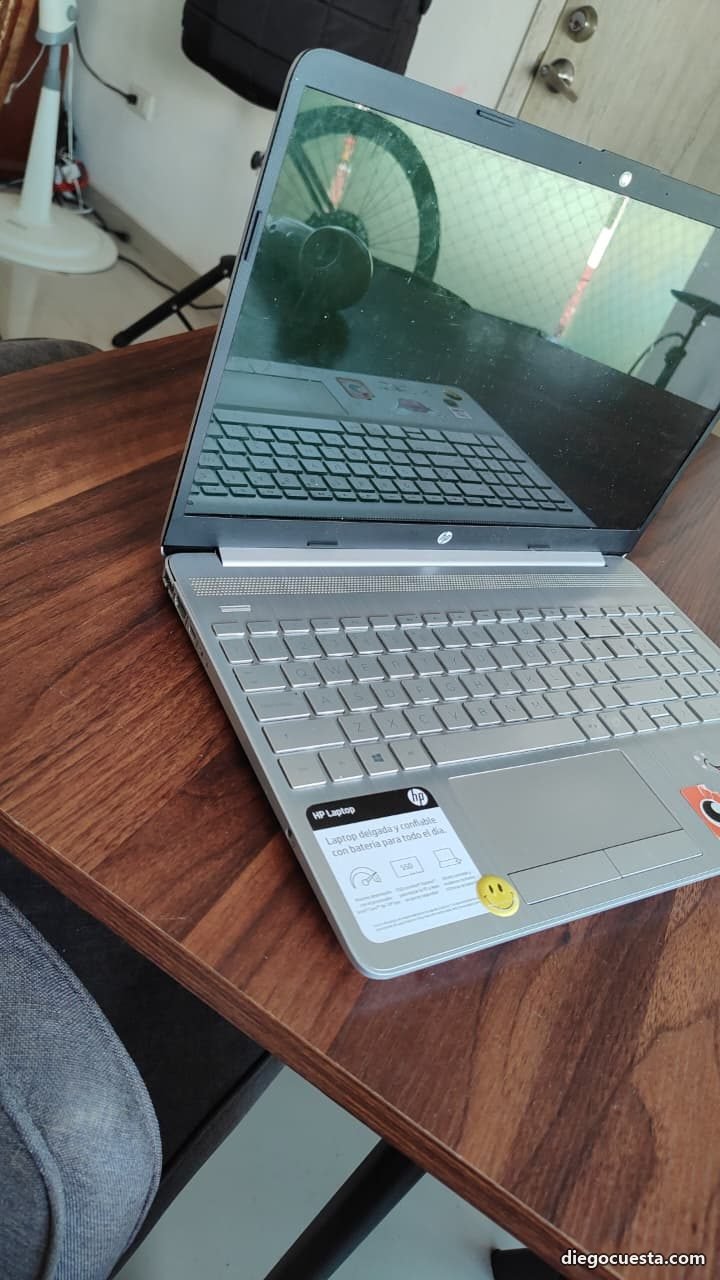
An HP Laptop 15-dw1053la came into the shop — a consumer-grade machine, plastic chassis with silver finish, 15.6" display, 10th-gen Intel processor. The customer's complaint: "the screen moves by itself and the top is broken". What I found when I opened it:

The metal hinge itself was still working, but the plastic of the case holding it was fractured. When the plastic gives way in that area, the hinge starts "pulling" the screen inward on every open, which eventually cracks the LCD panel or detaches the bezel. If not addressed in time, the next stop is a full display replacement — a 4-5× more expensive repair than catching it early.
The root cause: how NOT to open a laptop
90% of hinge and top case breakages in consumer laptops come from one habit: opening them with one hand by a single corner. The force concentrates at one point, the opposite hinge becomes a lever, and over time the plastic anchoring it fatigues and snaps.
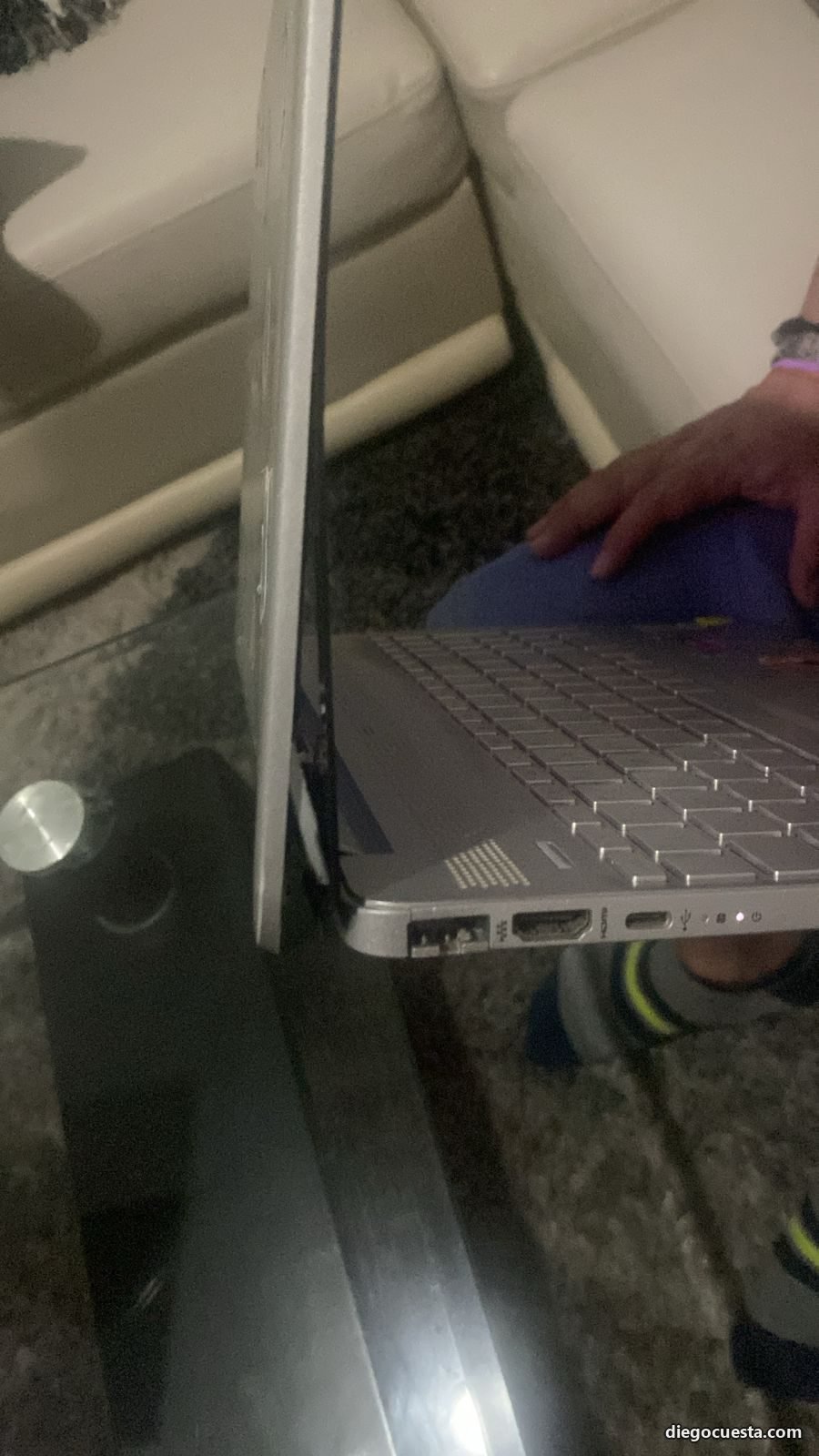
Other habits that accelerate the damage:
- Carrying it open: lifting the laptop by the screen instead of the base.
- Closing it forcefully or pressing just one corner.
- Forcing the opening past the factory stop (consumer is usually ~130°-135°, not 180°).
- Working on soft surfaces (couch, bed, blanket) where the base can't rest flat.
- Moving the laptop with cables connected dragging it sideways by inertia.
The right way to open and carry a laptop
To open
One hand holds the base at the center of the front edge (where the touchpad is), and the other lifts the lid from the center of the front edge of the screen, not from a corner. This distributes force evenly between both hinges.
If you're going to open with one hand, do it slowly and from the center — never pulling a corner.
To carry it
Always closed and by the base, never open and never by the screen. If you need to move it open a couple of meters, do it with both hands holding the base, never by the screen.
To work
On a flat, firm surface: desk, table, ventilated laptop stand. Your lap isn't a working surface for a modern laptop — it blocks ventilation, transmits torsion to the hinges, and heat damages the battery. If you work a lot in bed or on the couch, a rigid tray with a flat surface is the difference between a 5-year laptop and a 2-year one.
If the laptop makes a "crack" when opening or feels uneven between hinges, stop using it that way immediately and get it checked. Plastic doesn't "recover" — it only fractures more each time. Catching the problem at hinge-only stage costs 3-5× less than catching it after the screen broke.
Models and brands most prone to this damage
The problem doesn't hit all brands equally. The most vulnerable are consumer-grade laptops with thin ABS plastic chassis, especially when the manufacturer prioritizes "thin and light" design over structural robustness.
| Line | Hinge damage proneness | Why |
|---|---|---|
| HP 15-dw / 15s / 14-dq (Pavilion / Stream) | High | Thin ABS plastic case, hinge anchored to chassis with screws into plastic |
| HP Pavilion x360 (consumer convertibles) | Very high | 360° dual hinge with greater mechanical stress |
| Lenovo IdeaPad 3 / 5 / Flex | High | Same pattern: light case, plastic anchor |
| Acer Aspire 3 / 5 / Swift | High | Plastic hinges with thin metal core |
| Asus VivoBook X series | Medium-high | Decent hinges but plastic anchoring |
| Dell Inspiron 3000 / 5000 | Medium | Slightly more rigid chassis than peers |
| HP Envy / Spectre | Medium | Aluminum chassis, better distribution but thin hinges |
| HP EliteBook / Dell Latitude / Lenovo ThinkPad T | Low | Magnesium/carbon chassis, metal hinges certified 20,000+ cycles |
| Apple MacBook Air / Pro | Very low | Aluminum unibody, integral hinge |
The HP 15-dw1053la in this case falls in the first category — it's not a "bad laptop", it's a home-use laptop not designed for office handling or heavy mobility. Treated gently, it lasts years; treated like a ThinkPad, it doesn't.
Which laptops hold up better
If you need a laptop that tolerates hundreds of open/close cycles, daily transport, and one-handed opening by habit, the right investment is the business line:
- Lenovo ThinkPad T-series / X-series — metal hinges with MIL-STD-810H certification, metal anchoring in the chassis, public service manuals. The benchmark.
- Dell Latitude 5000 / 7000 series — magnesium chassis, certified hinges, next-business-day on-site warranty.
- HP EliteBook 840 / 845 series — the serious cousin to HP's consumer line; same dimensions, different structural league.
- Apple MacBook Pro M-series — machined aluminum unibody, virtually unbreakable hinge (though repair is costly when it eventually fails).
- Microsoft Surface Laptop / Studio — good quality hinges but more limited repair access.
See the detailed comparison at Consumer laptop vs business: what the sales rep won't tell you.
The repair
For this HP 15-dw1053la the procedure was:
- Full display disassembly — removing the front bezel without breaking the plastic clips (in these models they release with a plastic spudger, never metal).
- Hinge removal and assessment of the plastic anchor condition.
- Structural reinforcement of the anchor area with high-strength two-part epoxy (not superglue — cyanoacrylate crystallizes and breaks again).
- When damage is severe (this case), full top case replacement (Top Cover + Display Back Cover) with compatible part — always OEM or equivalent, never thinner generic.
- Reassembly with correct torque on hinge screws (overtightening also cracks the plastic).
- Cycle test: open and close 20 times verifying the screen stays firm at any angle, doesn't "fall" by gravity, doesn't squeak.
When to repair and when to replace
A hinge and top case repair on a mid-range laptop makes sense when:
- The equipment is under 4-5 years old.
- The rest (CPU, RAM, SSD, battery) is in good shape.
- The customer is willing to correct the habit that caused the damage.
If the unit is 6+ years old with a degraded battery, non-upgradeable RAM and "soft" hinges on both sides, it's usually more cost-effective to replace it — ideally with a business line that doesn't return to the shop for the same thing.
Does your laptop have a similar problem?
If you have an HP, Lenovo, Dell or any laptop with a loose hinge, cracked case or screen that won't stay in place, send me a WhatsApp with a photo and I'll tell you if repair is worth it and how much. On-site in Cartagena and remote-guided repairs elsewhere.