What the client reported
The client reported that, when it worked, the computer kept restarting. He left it stored for quite a while and, when he tried again, the graphics card had died.
First culprit: the power supply
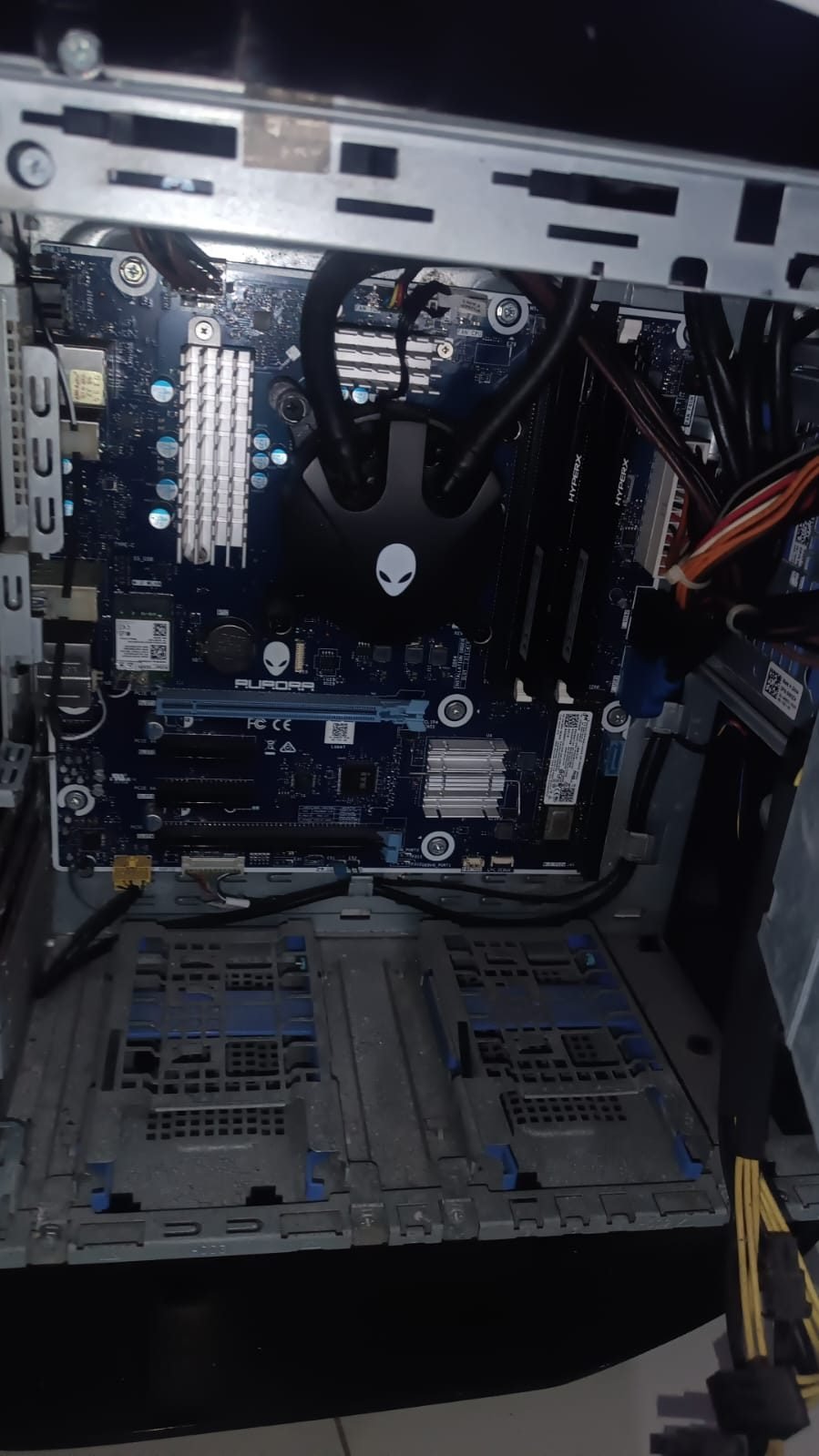
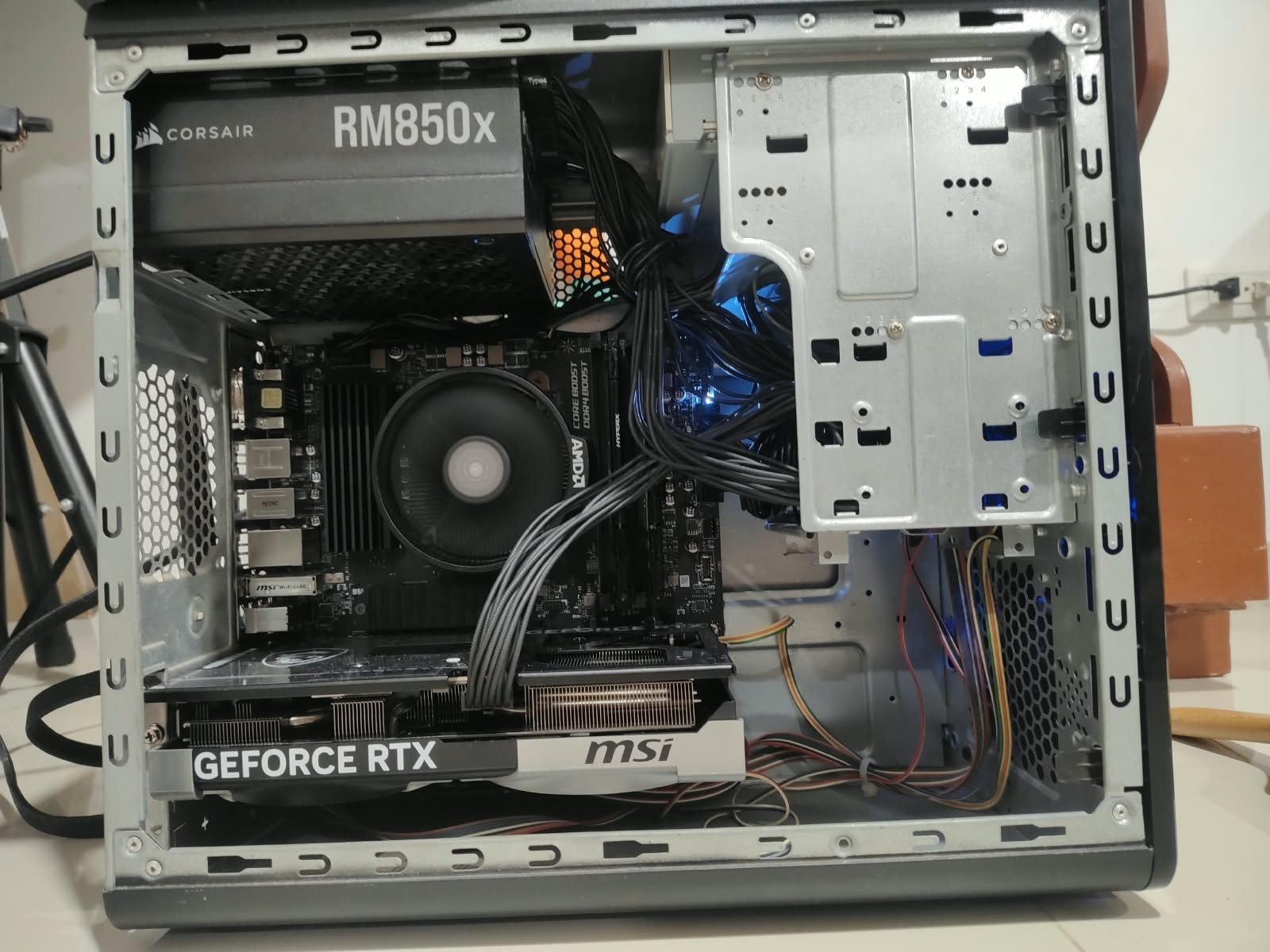
I started checking it and found several problems. The power supply had overvoltage on the 12 V rail and wasn't sending the PG signal, so no motherboard would ever start with that PSU. I recommended replacing it and we ended up installing a Corsair RM850x.
PG (Power Good) is the signal the PSU sends to the motherboard to say its voltages are stable. Without it the board won't boot, even if the fans spin. Overvoltage on 12 V is even worse: that rail feeds the graphics card and the CPU, so a PSU like that can slowly damage components.
Second: the graphics card
The graphics card (RX 5700 XT) showed corrosion and wouldn't turn on either. On inspection it had several open traces and, unfortunately, a damaged GPU core, so I replaced it with an MSI RTX 5070.
The problem that left no trace
But one problem remained: the PC restarted randomly, with no error log and no BSOD; it only logged Kernel-Power events.
I researched a lot: I updated the BIOS, reviewed settings, and found forum reports of similar problems, but those cases always left an entry in Event Viewer. This one didn't.
The Kernel-Power event (ID 41) only says Windows shut down without closing properly. It doesn't say why. When there's no blue screen or any other error alongside it, the operating system usually never even noticed the failure: the cut comes from the hardware. With the PSU and GPU already replaced, suspicion fell on the motherboard.
So I went over the options with the owner. Since Alienware is a PC with unique components, there were only two paths: find a replacement of the same motherboard, or move the rest of the components into another case.
Why swapping the motherboard wasn't enough
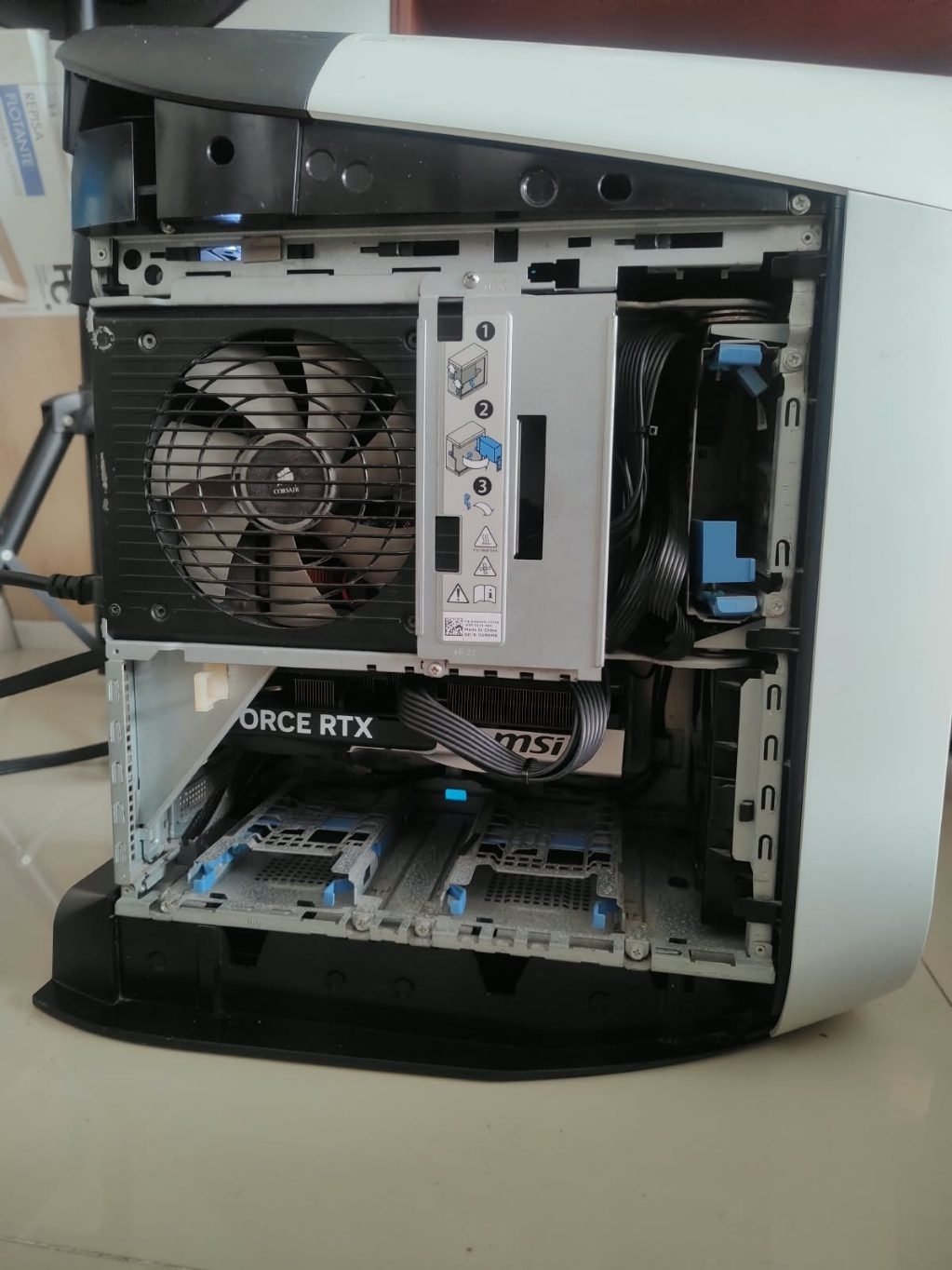
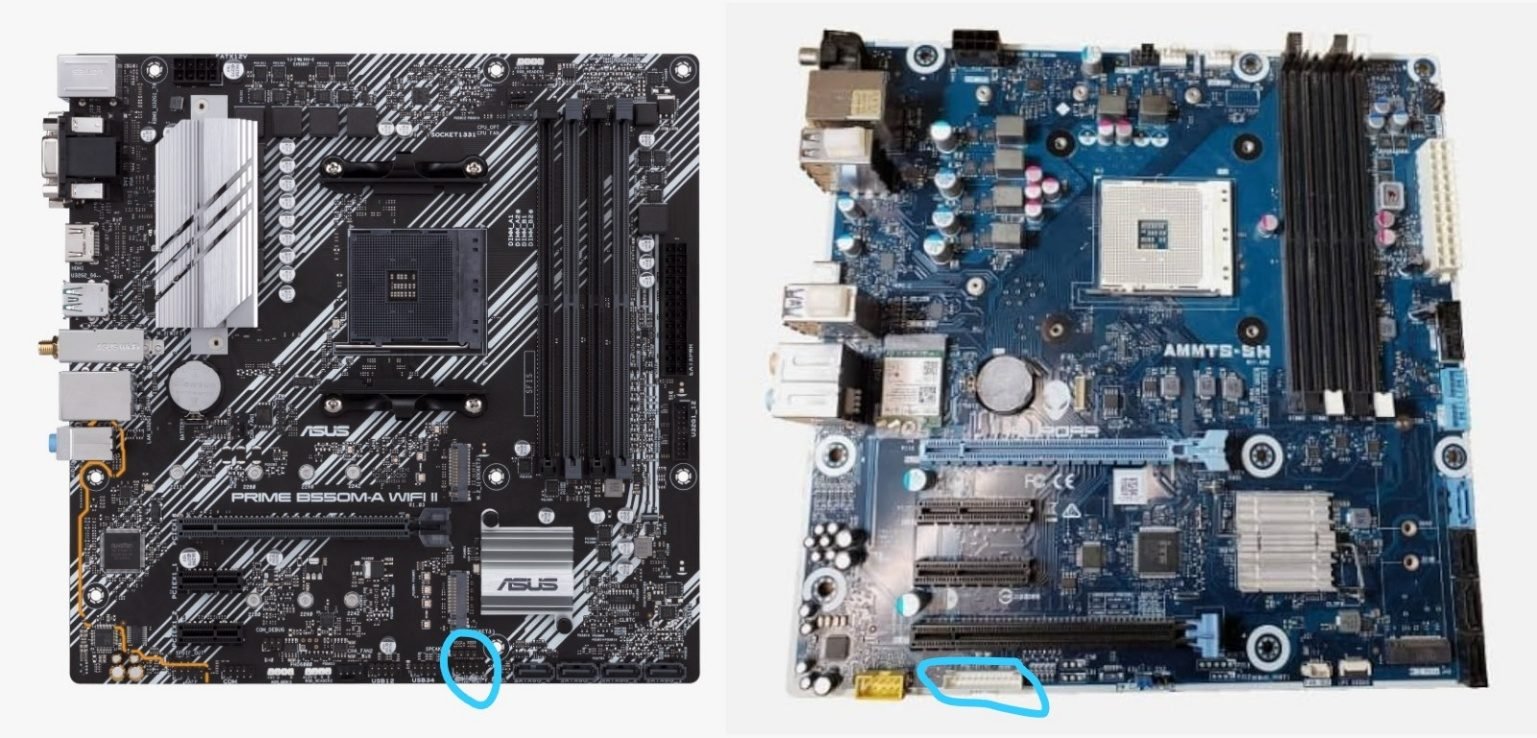
The Alienware motherboard needs a proprietary front panel connector, and the AM4 cooler mounting holes didn't match those of standard AM4 boards. That meant dropping the Alienware's liquid cooling, so we chose to build everything in another tower with an AMD stock cooler.
The result
And this was the result. Jokingly, I called it "small but dangerous": the Alienware is back to life as a powerful custom PC.
What the client said
GI Consulting SAS, the client, left this review on Google (original in Spanish):
Excelente servicio técnico. Diego me acompañó durante un problema bastante complejo con mi PC, que presentaba reinicios aleatorios y fallas difíciles de aislar.
Lo que más valoro fue su disposición para diagnosticar el problema de forma seria, probar diferentes alternativas y no limitarse simplemente a cambiar piezas sin analizar primero qué estaba ocurriendo. Revisamos fuente, motherboard, tarjeta gráfica, alimentación, temperaturas, memoria y distintos escenarios hasta lograr estabilizar completamente el equipo.
Finalmente se hizo una migración a una nueva plataforma, conservando y aprovechando los componentes que estaban en buen estado, y el computador quedó funcionando correctamente y sin los reinicios que venía presentando.
También destaco su comunicación, paciencia y disposición para seguir revisando incluso después de entregar el equipo. Además, está ayudándome a evaluar la posibilidad de recuperar las piezas originales para construir un segundo computador en lugar de simplemente desecharlas.
Muy recomendado para diagnósticos complejos, reparación y armado de computadores. Excelente atención, conocimiento técnico y compromiso con encontrar la causa real del problema.
— GI CONSULTING SAS · 5-star Google review, Oct 2026
What's next: the original motherboard
We didn't give up on the rest of the Alienware's components. The motherboard is under repair: the problem seems to be in the Super I/O circuit, and it will soon be back to life. The owner will end up with two powerful PCs.
Does your PC restart with no blue screen?
If your computer shuts down or restarts on its own and Event Viewer only shows Kernel-Power, message me on WhatsApp and we'll check it. That kind of failure is almost always hardware, and starting with the power supply saves time and components. On-site service in Cartagena, Colombia.